
Kernite
A small microkernel OS written in Rust
Inspired by Redox OS. x86_64 / UEFI.
Kernite is an operating system written from scratch in Rust, following the design of Redox OS. The kernel only does memory management, scheduling, IPC and system calls; disk and network drivers, the file system, TCP/IP and the window system all run as user-space processes.
Features
Microkernel + schemes
Every resource is opened as scheme:path (file: tcp: sys: irq: …). User-space drivers sleep on irq:
SMP and threads
Processes run in parallel on all CPUs. thread_create / futex / mmap, fork / exec, signals
C library and self-hosting
Its own libc. Lua 5.4 runs, and TinyCC compiles C inside the OS, including tcc itself
File system
A block file system (fsd) with inodes, indirect blocks and a journal. IDE / AHCI / virtio / NVMe
Networking
TCP/IP with smoltcp, DHCP, IPv6, BSD sockets. wget with HTTPS and certificate checks (BearSSL), httpd
GUI and Japanese text
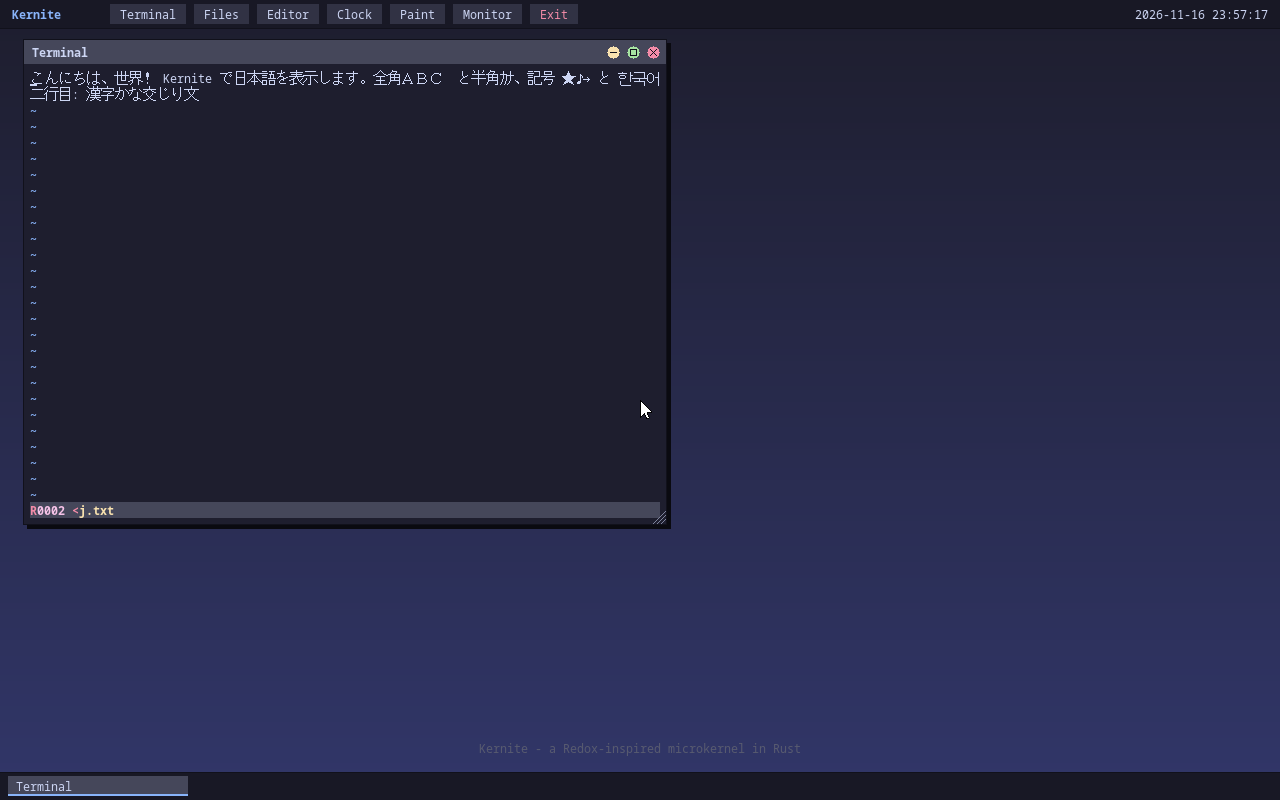
The orbital window system (terminal, files, editor, paint; resize and maximize). Japanese text via GNU Unifont. An xterm-compatible terminal
POSIX shell and tools
dash (if / while / case / functions / $(…)), about 70 sbase commands (sed / sort / find / grep -E / tar …), make, vi, less
Packages
pkg install sqlite fetches a package, checks its SHA-256 and installs it. sqlite and figlet so far
Devices
USB (xHCI) keyboard and mouse, AC'97 audio, IDE / AHCI / virtio / NVMe, e1000 / virtio-net
Download
Version 0.2.0 (75f716d, 2026-11-17), for x86_64 machines with UEFI.
| File | Contents | Size |
|---|---|---|
| kernite-0.2.0.iso | ISO image (boots as a CD, or written to a USB stick) | 19.4 MB |
| kernite-0.2.0.img | Disk image (GPT + EFI system partition) | 21.0 MB |
| kernite-0.2.0.sha256 | SHA-256 |
ISO: c5fb2ffeee2090c1532be53f8339b83d8c48d1e691611a8d1cf87efb9bf3f900
IMG: 5f1c2eb8b607edef5b992059413c341e17004166ae2ddb3c66fad4e458461604
Try it in QEMU
You need QEMU and OVMF (UEFI firmware). On Ubuntu / Debian: sudo apt install qemu-system-x86 ovmf.
qemu-system-x86_64 -M pc -m 256M -smp 4 -bios /usr/share/ovmf/OVMF.fd \
  -cdrom kernite-0.2.0.iso -serial stdio
For the disk image, use -drive if=ide,index=0,format=raw,file=kernite-0.2.0.img instead of -cdrom ….
To keep your files, add an empty disk; it is formatted on the first boot:
truncate -s 32M data.img
qemu-system-x86_64 -M pc -m 256M -smp 4 -bios /usr/share/ovmf/OVMF.fd \
  -drive if=ide,index=0,format=raw,file=kernite-0.2.0.img \
  -drive if=ide,index=1,format=raw,file=data.img \
  -serial stdio -nic user,model=e1000
Log in as user / user (or root / root).
You can use either the serial console (your terminal) or the QEMU window. Without KVM, it takes a minute or two to reach the login prompt.
help                     # list of commands
vi memo.txt              # vi (neatvi)
ls -l initfs:bin | less  # pager
dash script.sh; make     # POSIX shell scripts and make
ls -l /; cat sys:ps      # files and processes
lua                      # Lua 5.4
tcc hello.c -o hello     # compile C inside the OS
wget https://example.com/
orbital                  # GUI desktop
Tested in QEMU with the pc and q35 machines, booting from CD, hard disk, USB stick and NVMe. Not yet tested on real UEFI hardware.
Packages
As root, pkg installs packages from the repository at pkg/ on this site (needs a network connection).
pkg update               # fetch the package list
pkg search               # list packages
pkg install sqlite       # check the SHA-256 and install into /
sqlite3 notes.db
pkg remove sqlite
Available now: sqlite 3.54.1 and figlet 2.2.5.